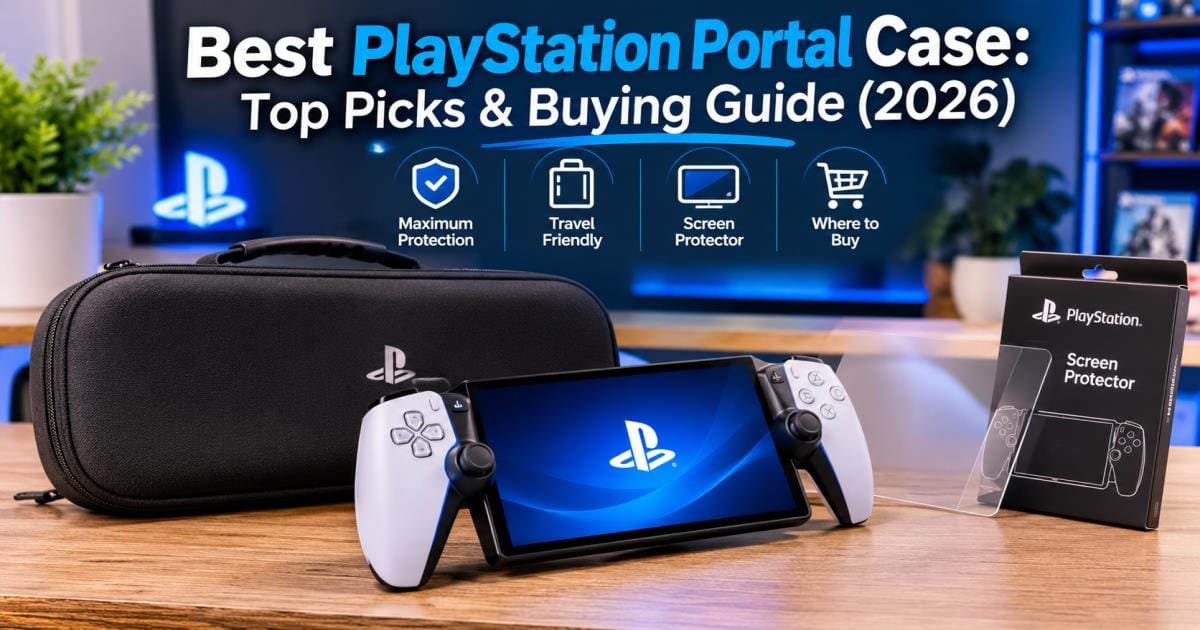

The best PlayStation Portal case overall in 2026 is the Spigen Rugged Armor Pro if you want heavy drop protection and deep accessory storage. If you prefer a slimmer profile with official Sony licensing and built-in charging passthrough, the PowerA Protection Case is your best choice.
Sony built the PlayStation Portal around full-sized DualSense controller handles flanking an 8-inch LCD screen. Tossing the device unprotected into a backpack puts direct pressure on the protruding analog sticks, risking snapped thumbstick modules or premature stick drift. A properly fitted carrying case absorbs outside impacts and isolates the glass display from keys, chargers, and loose gear.
In this guide, we compare top cases from PowerA, Spigen, GameStop, and Venom based on real-world durability, storage space, and value. You will also learn whether you need a tempered glass screen protector, how black and white finishes hold up over time, and how to locate same-day stock across the USA.
What is a PlayStation Portal Case?
A PlayStation Portal case is a custom-molded enclosure engineered around the wide, asymmetrical shape of Sony’s remote player. Because the Portal measures 13.3 inches across with raised controller grips on both sides, standard rectangular tablet sleeves or Nintendo Switch cases do not fit it safely.
Why Does the PlayStation Portal Need a Protective Case?
The Portal’s full-sized DualSense ergonomics make long remote-play sessions comfortable, yet those raised grips create a structural weak point during travel. Both thumbsticks sit higher than the screen bezel. If a heavy laptop or textbook presses against your bag, the sticks take the brunt of that force.
The glossy 8-inch touchscreen also sits completely exposed. Even light friction against a zipper or charging brick leaves permanent hairline scratches. A rigid carrying case creates a protective bridge over the controls so nothing touches the display or thumbsticks in transit.
Main Types of PlayStation Portal Cases
Most protective gear for the Portal falls into three main categories:
- Hard-Shell Carrying Cases: Built from rigid EVA foam wrapped in nylon or PU leather. These resist crushing forces inside crowded backpacks and airline overhead bins.
- Slim Travel Sleeves: Soft, padded fabric pouches that prevent surface scuffs while taking up very little room in a commuter bag.
- Grip Shells and Bumpers: Flexible TPU or polycarbonate covers that snap directly onto the handheld’s body to improve hand grip and absorb couch-height drops during gameplay.
Carrying Cases vs. Protective Covers
A protective cover—such as the Spigen Thin Fit or a silicone skin—stays wrapped around the Portal while you hold it. It guards against sweaty palms and minor slips, though it leaves the screen and analog sticks uncovered in your bag.
A carrying case zips around the entire handheld once you finish playing. Many players pair a slim snap-on grip cover with an oversized hard-shell carrying case. Before doing this, check the case’s interior depth, because tightly molded shells will not zip shut over thick silicone skins.
Best PlayStation Portal Case Options in 2026
Your ideal case depends on how often you travel and how many accessories you pack. Here is how the four leading models compare.
| Case Model | Best For | Shell Material | Padded Screen Flap | Typical Price (USD) |
| PowerA Protection Case | Official licensing & in-case charging | Hard EVA & ballistic fabric | Yes (microfiber) | $24 – $35 |
| Spigen Rugged Armor Pro | Maximum crush protection & extra storage | PU, dense EVA foam & nylon | Yes (suede-lined) | $45 – $55 |
| GameStop Hard Shell Carry Case | Same-day pickup & built-in stand | Shock-resistant EVA | Built-in divider | $25 – $30 |
| Venom PlayStation Portal Carry Case | Budget bundle with glass protector | Hard EVA shell | No | $20 – $27 |
PowerA Protection Case for PlayStation Portal
The PowerA PlayStation Portal case carries official PlayStation licensing, which guarantees exact internal tolerances around the DualSense grips and triggers. Its standout design feature is a rear charging cable passthrough flap. You can zip the Portal completely inside the shell while feeding a USB-C cord through the back port, shielding the device from accidental spills or drops while it recharges on a hotel desk.
Inside, a padded microfiber divider sits over the 8-inch display and holds a charging cable or Pulse Explore earbuds in a flat mesh pocket. Weighing roughly 0.97 lbs, it slips easily into everyday backpacks and includes a 2-year limited warranty.
Spigen Rugged Armor Pro Case
If you pack your handheld inside tight carry-on luggage or heavy commuter bags, the Spigen PlayStation Portal case (Rugged Armor Pro) delivers superior impact resistance. Spigen layers PU, dense EVA foam, and anti-scratch nylon to prevent the outer walls from flexing into the thumbsticks under heavy pressure.
Inside, deep grip cutouts stabilize the controller handles, while a suede-lined Velcro strap secures the body and shields the screen. Spigen also includes a hidden pocket sized for an Apple AirTag or Tile tracker. Its upper storage cavity is noticeably deeper than PowerA’s, fitting a 30W wall brick, braided USB-C cable, and earbuds without pressing down on the display.
GameStop Hard Shell Carry Case
Built for straightforward protection and fast retail access, the GameStop Hard Shell Carry Case pairs a rigid EVA shell with a contoured interior cradle and elastic retention strap. It includes a fold-out stand mechanism inside the lid, letting you prop the Portal upright on an airplane tray table during breaks.
An elastic strap on the back slides over rolling suitcase handles for easy airport transfers. While its internal layout is slightly broader than custom-licensed shells—designed to fit other handhelds like the Steam Deck—the recessed joystick wells hold the Portal steady on the move.
Venom PlayStation Portal Carry Case
Shoppers on a strict budget get strong out-of-the-box value from the Venom PlayStation Portal Carry Case. Alongside a thick, crush-resistant EVA shell, Venom packs a 9H tempered glass screen protector, cleaning wipes, and textured thumbstick caps right inside the box.
The upper zippered mesh pocket holds plenty of cables and small accessories. Its main drawbacks are a chunkier footprint in your bag and the lack of a padded middle flap separating the screen from the top pocket, making it essential to apply the included glass protector before using the case.
Other Budget-Friendly PlayStation Portal Cases
Several third-party alternatives also perform well under $25:
- Skull & Co. EDC Carrying Case: Features a trim, form-fitting shell and water-resistant fabric exterior for players who dislike bulky bags.
- Orzly Carry Case: Combines a comfortable rubberized handle, dual zippers, and wide elastic storage pockets for cables and slim power banks.
- Co2CREA Hard Travel Case: Offers a simple, durable EVA exterior lined with soft velvet fabric to prevent micro-scratches on glossy plastic.
PowerA vs. Spigen PlayStation Portal Case: Which Is Better?
PowerA and Spigen sit at the top of most buyer shortlists, yet each brand solves a different travel problem.
Design and Build Quality
PowerA mirrors Sony’s clean two-tone console styling, particularly in its white colorway, while keeping weight low at under one pound. Spigen takes a tactical approach with matte-black carbon-fiber accents. Weighing roughly 1.2 lbs (19.6 oz), the Spigen Rugged Armor Pro uses thicker shell walls and heavier zippers that feel noticeably stiffer in hand.
Screen and Device Protection
Both models isolate the analog sticks inside deep molded wells so the buttons never click accidentally inside a bag. Spigen provides better crush protection thanks to its multi-layer foam construction and reinforced corners. PowerA counters with better stationary protection: its rear charging passthrough lets you leave the case zipped closed while recharging, whereas Spigen requires opening the lid to plug in a power cord.
Storage Space and Portability
PowerA’s slimmer profile slides effortlessly into crowded messenger bags and daypacks, leaving room for a short USB-C cable and wireless earbuds. Spigen’s deeper upper compartment holds bulky wall adapters and power banks cleanly without crowding the screen divider.
Price and Overall Value
PowerA typically costs between $24 and $35, offering official Sony licensing at a budget-friendly price. Spigen sits between $45 and $55—roughly $15 to $20 more for heavier armor, deeper accessory space, and hidden AirTag storage.
Which Brand Should You Choose?
Pick the PowerA Protection Case if you want a lighter, officially licensed case with convenient pass-through charging under $35. Pick the Spigen Rugged Armor Pro if you fly often, carry heavy backpacks, or need room for a full-sized wall charger.
PlayStation Portal Case and Screen Protector: Do You Need Both?
Pairing a PlayStation Portal case and screen protector gives you complete 24-hour protection. A carrying case shields your handheld inside a backpack, while a screen protector guards the display the moment you unzip the case to play.
Benefits of Using a Screen Protector
The Portal’s 8-inch LCD screen handles both gameplay visuals and touch-based PS5 touchpad controls. Without a protective layer, fingernails, dust grit, or accidental drops onto a table edge can leave permanent scratches or cracks. A glass protector absorbs that damage and peels off cleanly for replacement in seconds.
Tempered Glass vs. Film Screen Protectors
- Tempered Glass (9H Hardness): Delivers strong scratch resistance, smooth finger gliding for virtual touchpad swipes, and genuine impact absorption without dulling screen brightness.
- PET / Matte Film: Thinner and flexible, film guards against light scuffs and cuts down overhead glare, though it offers less drop protection and feels slightly softer under your thumb.
Best Screen Protection Accessories
If your case does not include glass in the box, Spigen Glas.tR EZ Fit, amFilm, and dbrand produce tempered glass sheets cut specifically for the Portal’s 8-inch front panel. Choose a kit that includes a snap-on plastic alignment tray so the glass drops into place straight on the first try.
How to Install a PlayStation Portal Screen Protector
- Pick a dust-free room such as a bathroom right after running a hot shower, which settles floating lint out of the air.
- Clean the glass thoroughly with the included alcohol wipe, then buff it completely dry using a lint-free microfiber cloth.
- Lift stray dust specks by dabbing the screen surface with a dust-removal sticker.
- Seat the alignment frame over the Portal, peel the protective backing off the tempered glass, and lower it gently onto the screen.
- Press the center lightly so the adhesive spreads outward, then push any remaining edge bubbles toward the border with your microfiber cloth.
Can a Carrying Case Replace a Screen Protector?
No. A carrying case only protects the handheld while zipped shut inside your bag. Once you pull the Portal out on a couch, bed, or flight tray table, a tempered glass layer is your only defense against scratches and direct screen impacts.
How to Choose the Best PlayStation Portal Case
Check these six practical details before buying so your case matches your daily habits.
Hard-Shell vs. Soft-Shell Protection
Choose a rigid EVA hard shell over a soft fabric sleeve if your Portal ever travels inside a backpack or suitcase. Soft sleeves block surface scuffs, yet they collapse immediately if someone places a heavy bag on top of yours.
Interior Padding and Screen Protection
Inspect the inside layout for soft microfiber or suede lining and a padded divider flap. That middle barrier keeps metal USB-C connectors stored in the upper mesh pocket from scraping against your screen during transit.
Storage for Charging Cables and Accessories
Match the upper pocket depth to your gear. Slim mesh pouches hold a braided USB-C cable and earbuds cleanly, while deeper zippered bays accommodate wall chargers and cleaning cloths.
Zippers, Handles, and Travel Features
Look for smooth dual zippers that round the curved corners without catching. Features like a rubberized carry handle, carabiner clip, or luggage pass-through strap make airport security and daily commutes much smoother.
Size, Weight, and Device Compatibility
Confirm that the listing specifically names the PlayStation Portal Remote Player. Cases built for the Nintendo Switch or Steam Deck lack the deep handle recesses required for DualSense grips, which puts dangerous pressure on the analog sticks. If you use a snap-on grip cover, verify that the case has enough interior room to zip shut without straining the seams.
Price, Warranty, and Customer Reviews
Expect to spend between $20 and $55 for dependable build quality. Established brands like PowerA include a 2-year warranty, whereas generic $10 shells often suffer from weak zippers and chemical odors.
PlayStation Portal Case Black: Colors and Design Options
Following Sony’s launch of the Midnight Black PlayStation Portal alongside the original white edition, dark colorways have become the most popular option among buyers.
Best Black PlayStation Portal Cases
If you want a sleek PlayStation Portal case black finish, top manufacturers offer dedicated dark editions:
- Spigen Rugged Armor Pro (Matte Black): Pairs a carbon-fiber weave with subtle tonal branding that matches the Midnight Black Portal.
- PowerA Protection Case (Black): Delivers the same officially licensed fit and rear charging passthrough in a charcoal-black exterior.
- Venom Carry Case (Black): Comes in an all-black shell accented with classic PlayStation button trim.
Black vs. White Cases: Which Looks Better?
White shells match the original PS5 console aesthetic cleanly out of the box, yet light fabric picks up backpack dye, coffee spills, and travel grime quickly. Black exteriors hide scuffs and daily wear far better, making them the smarter choice for commuters and frequent flyers.
Special Edition and Custom Designs
Official partners occasionally release themed designs, such as PowerA’s Astro Bot edition featuring custom character artwork and themed zipper pulls. Third-party brands also sell gray, navy, and dual-tone shells if you want your case to stand out easily inside a dark duffel bag.
Where to Buy a PlayStation Portal Case in the USA
You can purchase a case online for next-day delivery or pick one up locally the same afternoon across the United States.
Buying a PlayStation Portal Case at GameStop
Checking a PlayStation Portal case GameStop listing works well when you need protection before a trip. GameStop stocks both its branded Hard Shell Carry Case and officially licensed PowerA shells, offering free in-store pickup within two hours at most locations.
Ordering from Amazon and Other Online Retailers
Amazon offers the widest catalog—including Spigen, PowerA, Venom, Skull & Co., and Orzly—often with next-day Prime shipping and regular discounts below retail price. Best Buy, Target, and Walmart also stock PowerA and third-party cases online and in-store.
Buying Directly from PowerA and Spigen
Ordering straight from PowerA.com or Spigen.com guarantees genuine stock, straightforward warranty support, and access to fresh colorways or limited editions that sell out quickly at big-box stores.
How to Find a PlayStation Portal Case Nearby
When you need a PlayStation Portal case nearby or search for a PlayStation Portal case near me before leaving town, use these steps:
- Filter by local pickup on GameStop, Best Buy, or Target websites using your ZIP code and select “In Stock Today.”
- Check the PS5 accessories aisle rather than tablet shelves, as stores group Portal cases alongside DualSense controllers and headsets.
- Call the store counter to verify shelf availability before driving over, since online inventory counts can lag behind restock shipments.
Tips for Checking Local Store Availability
Place an online order for in-store pickup once you spot local inventory. Store staff will pull the exact SKU from the shelf and hold it at customer service so another shopper does not grab the last unit while you drive there.
Common Mistakes to Avoid When Buying a PlayStation Portal Case
Skip these four common buying errors to protect your handheld properly:
Choosing a Case Without Checking Compatibility
Never buy a “universal handheld case.” The Portal’s 13.3-inch width and full controller handles require custom-molded recesses that generic pouches simply do not provide.
Ignoring Screen Protection
Choosing a budget shell without a padded screen flap—and skipping a tempered glass protector—leaves your 8-inch display exposed to whatever cables or plugs sit in the upper mesh pocket.
Buying Based Only on Price
Ultra-cheap $10 knockoffs frequently use poorly molded foam that presses down on the L3 and R3 thumbstick buttons while zipped, causing permanent stick drift over time.
Overlooking Storage and Build Quality
A ultra-thin case with zero cable storage forces you to carry chargers loose in another bag pocket, defeating the convenience of an all-in-one travel kit.
How to Maintain and Clean Your PlayStation Portal Case
Simple upkeep keeps your case sanitary and prevents trapped grit from scratching your device.
Cleaning the Exterior and Interior
- Exterior shell: Wipe nylon or PU surfaces with a damp microfiber cloth and a drop of mild dish soap. Never submerge the case in water or run it through a washing machine, which warps internal EVA foam.
- Interior lining: Run a lint roller or soft dry brush across the microfiber lining to clear out dust, crumbs, and pocket fuzz.
Keeping the Screen Free from Dust and Scratches
Wipe the Portal’s 8-inch display with a clean microfiber cloth before zipping it away. Trapping sand or hard dust particles between the screen and padded flap causes fine swirl scratches during travel.
Storing Your Portal Safely When Not in Use
Zip your Portal inside its case between home play sessions to keep pet hair and dust out of the analog stick bases. Store the closed case flat on a shelf away from direct sunlight or heating vents.
Is a PlayStation Portal Case Worth Buying?
Yes. The PlayStation Portal costs around $200 and relies on delicate thumbstick modules and an exposed 8-inch glass display that cannot survive loose inside a backpack. Spending $25 to $50 on a molded carrying case prevents expensive hardware damage, keeps your charging cables organized, and makes traveling with your PS5 library worry-free.
Final Thoughts on Choosing the Best PlayStation Portal Case
Finding the right protection comes down to matching the case to your travel style. Choose the Spigen Rugged Armor Pro if you want maximum crush resistance, deeper storage for wall adapters, and rugged durability. Choose the PowerA Protection Case if you prefer an officially licensed, lighter shell with rear charging passthrough at a lower price. Pair either model with a 9H tempered glass screen protector to keep your Portal looking brand new for years.
Frequently Asked Questions About PlayStation Portal Cases
What is the best PlayStation Portal case?
The Spigen Rugged Armor Pro is the best overall PlayStation Portal case for heavy-duty drop protection and spacious accessory storage, while the PowerA Protection Case is the top officially licensed pick for slim portability and in-case charging.
Is the PowerA PlayStation Portal case worth buying?
Yes. The PowerA Protection Case carries official PlayStation licensing, fits the Portal’s DualSense grips cleanly, includes a padded screen flap and rear USB-C charging passthrough, and costs around $25 to $35 with a 2-year warranty.
Is the Spigen PlayStation Portal case better than PowerA?
Spigen provides thicker armor walls, deeper storage for bulky wall chargers, and a hidden AirTag compartment, making it better for flights and heavy bags. PowerA is lighter, slimmer, less expensive, and lets you charge the handheld while zipped inside.
Does a PlayStation Portal case come with a screen protector?
Most cases—including PowerA and Spigen—do not include a glass screen protector in the box, though both feature padded interior screen dividers. Value bundles like the Venom PlayStation Portal Carry Case include a 9H tempered glass screen protector and thumbstick grips.
Can I use a screen protector and carrying case together?
Yes, and using both is the safest setup. A tempered glass screen protector adds roughly 0.3mm of thickness, allowing your Portal to fit inside any molded carrying case without interfering with the zipper.