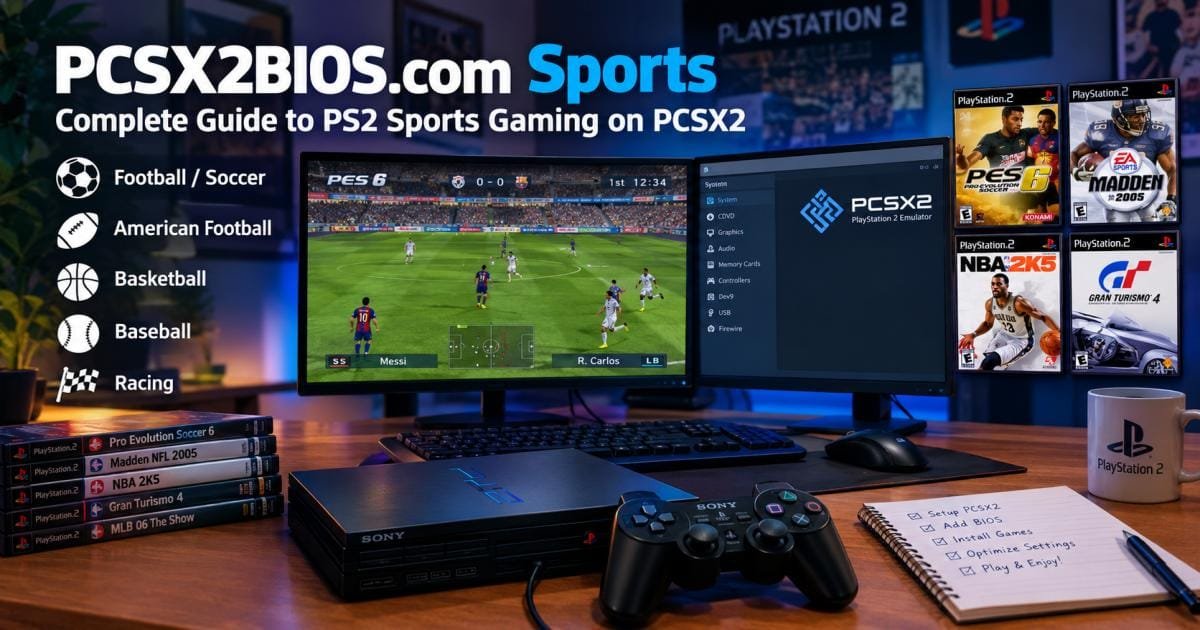

Short answer: pcsx2bios .com sports is a search phrase for PS2 sports gaming on the PCSX2 emulator. It points to a third-party site, not the PCSX2 team. To play PS2 football, basketball, baseball, or racing games on a PC, you need PCSX2, a BIOS dump from your own PS2, and game images from discs you own.
This guide shows you how to set all of that up, which sports games are worth playing, and how to fix the usual problems. You will also see why the BIOS download shortcut is a bad idea.
What Is PCSX2BIOS.com Sports?
The phrase combines three things people look for: the PCSX2 emulator, the PS2 BIOS file, and sports games from the PS2 era. Most people who type it want one of three answers: which games run well, how to set up the BIOS, or how to fix a slow game.
I could not verify what the site behind the name offers, so treat it as an unofficial source. The official home of the emulator is pcsx2.net, with builds also on GitHub.
That matters because of one risk. One 2026 setup guide warns readers not to download BIOS files from a “PCSX2 BIOS” website or use a package sold as “PCSX2 with BIOS,” since those are not official PCSX2 distributions and also raise legal problems.
A simple rule works well here. Use unofficial sites for ideas and game lists. Use official pages for downloads and setup steps.
What Is PCSX2 and How Does It Run PS2 Sports Games?
PCSX2 is a free, open-source PS2 emulator for Windows, Linux, and Mac. It copies the PS2’s hardware in software, so your PC can run PS2 games. The project has been in development for more than 20 years and runs most games at full speed.
Sports games suit an emulator for a few reasons:
- They age badly on big screens. A 480i image looks soft on a 4K TV. PCSX2 can redraw the picture at a higher resolution.
- They reward smooth input. A steady frame rate makes passing, shooting, and steering feel right.
- They suit short sessions. Save states let you pause a match and return to it later.
Version numbers move fast. One 2026 guide lists v2.6.3 as the stable build, released on 28 January 2026, with nightly builds in the v2.7.x x range.range. Newer builds may exist by now, so check the official download page. Stable builds typically work better for most players. Nightly builds get fixes sooner but can break things.
What You Need to Play PS2 Sports Games on PCSX2
You need four items, plus one extra.
1. A PC that can keep up. PCSX2 leans on one fast CPU core, and upscaling leans on your graphics card. On average, a PC with a recent mid-range CPU and GPU handles 2x upscaling in most sports games. Older machines usually manage native resolution. Plan on 8 GB of RAM at the least, and 16 GB if you push the resolution high.
2. The emulator. Download it from pcsx2.net or the official GitHub releases page.
3. A PS2 BIOS file. This is the console’s startup software. PCSX2 requires a BIOS dump from a console you legally own. The emulator does not include it because Sony owns the copyright.
4. Your games. Use the original discs or disc images you made from discs you own.
The extra: a controller. Fast sports games feel awkward on a keyboard.
How to Set Up PCSX2 for Sports Games
Plan on 20 to 30 minutes, not counting the time to dump your BIOS.
- Install PCSX2. On Windows, pick the installer or the portable build. On Linux, Flatpak is a common route.
- Make three folders. One for BIOS files, one for games, and one for extras like patches.
- Add your BIOS. Open Settings, then BIOS, and point PCSX2 to your BIOS folder. Your file should appear in the list with its region.
- Add your game folder. PCSX2 scans it and builds a library.
- Choose a renderer. In Settings, then Graphics, open the Renderer menu. On Windows, Vulkan and Direct3D 12 are the usual picks. Try OpenGL on older hardware.
- Map your controller. Go to Settings, then Controllers, and press a button to bind it.
- Boot one game and test it. Change nothing else until it runs.
Keep regions matched. A US game generally works best with a US BIOS.
Best PS2 Sports Games to Play on PCSX2
Results vary by PC and build. Check each title on the compatibility list first (see the next section).
Football / Soccer Games
- Pro Evolution Soccer 6. Many fans still rate its passing and player movement above later PS2 football games. Fan-made roster patches keep teams current.
- FIFA Street. A loose, fast take on five-a-side play.
- Mid-2000s FIFA titles. Good for a trip back to old kits and old stars.
Football games make a handy stress test. They put 22 players on screen, so they show fast whether your CPU can cope.
American Football Games
- Madden NFL (mid to late 2000s). Deep franchise modes and classic playbooks.
- NFL Street. Arcade football with big hits and trick plays.
- NCAA Football. A good pick for college fans.
Basketball Games
- NBA Street Vol. 3. Fast, flashy, and still a favorite for couch play.
- NBA Live and NBA 2K from the PS2 years. Good for old rosters and old-school pacing.
Baseball Games
- MVP Baseball 2005. A long-running fan favorite for its pitching and hitting feel.
- MLB: The Show on PS2. Early entries in a series that later grew into a major name.
Racing and Driving Games
- Gran Turismo 4. A long, deep driving sim with hundreds of cars.
- Burnout 3: Takedown. Pure speed and crashes.
- Need for Speed Underground 2. Street racing with car tuning.
Racing games gain the most from upscaling. Track edges and car bodies look much cleaner at 2x or 3x than at the original resolution.
How to Check PS2 Sports Game Compatibility With PCSX2
Check before you tune anything. The PCSX2 team keeps a public compatibility list with more than 2,500 tested titles.
Follow these steps:
- Search for your game on the official PCSX2 compatibility page.
- Read the rating. Higher ratings mean fewer problems.
- Read the notes. They often name a setting to change or a patch to turn on.
- Match the serial number and region. Two releases of the same game can behave differently.
PCSX2 also ships a built-in game database. It applies per-game settings automatically, which is why most titles load already configured. Leave global settings alone unless one game misbehaves.
Best PCSX2 Settings for PS2 Sports Games
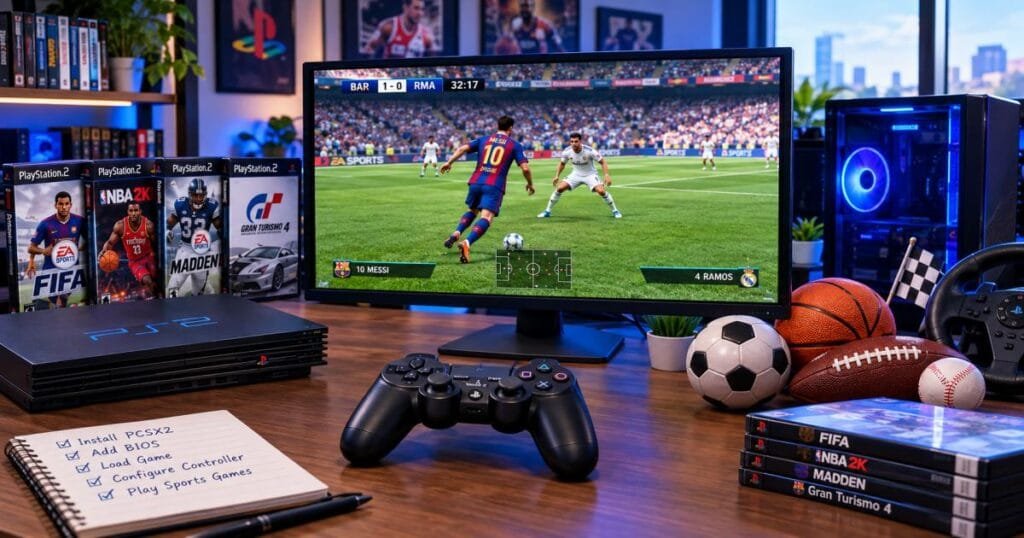
Change a few options, then test. Here is a quick reference.
| Setting | Start with | Why it helps |
| Renderer | Vulkan or Direct3D 12 (Windows) | Fast on most modern GPUs |
| Internal resolution | 2x | One guide advises starting at 2x with defaults and raising settings only when a game looks wrong |
| Widescreen patch | On, per game | Shows more of the field or court |
| No-interlacing patch | On, if the picture shimmers | Cuts flicker on modern screens |
| Upscaling fixes | Off, until you see seams | Corrects misaligned sprites |
| Audio buffer | Default, then raise if sound crackles | Smooths out choppy sound |
Widescreen. Widescreen patches render a true 16:9 field of view instead of a stretched image. In sports games t, that means you see more of the pitch or court, which helps with passing. Some patches widen the 3D scene but leave the HUD odd, so test each game.
Per-game profiles. Save settings per game. A fix for a Madden menu should not break your PES setup.
CPU speed options. Leave them at default. Wrong tweaks cause more bugs than they fix.
PCSX2 Sports Gaming Performance: What to Expect
On a healthy setup, you should typically see:
- A steady 50 or 60 frames per second at 2x on a mid-range PC
- Sharper players, grass, and crowds than the original console
- Short load times, especially from an SSD
- Instant save states
Three things drive performance: CPU speed, GPU power, and how heavy the game is. A fast chip handles most titles at native resolution. A weak chip can still stutter, even with upscaling off. Official docs set a baseline, but meeting the minimum requirements does not guarantee full-speed emulation in every game.
If the frame rate drops, lower the resolution first. If it still lags, the CPU is probably the limit. Big crowd scenes in football games and effect-heavy racers tend to ask the most from a PC.
Common PCSX2 Sports Game Problems and Fixes
Game Runs Slowly or Has Stuttering
- Drop the internal resolution to native or 2x.
- Switch renderers, for example from Direct3D 12 to Vulkan.
- Close background apps such as browsers.
- Set a laptop to its high-performance power plan.
- Update your graphics drivers.
- Move the game to an SSD.
Audio Crackling or Distortion
- Raise the audio buffer size in the audio settings.
- Check your frame rate. Crackling often follows a slow game.
- Try a different audio output on your system.
Controller Is Not Working
- Open Settings, then Controllers, and bind the buttons again.
- Plug the controller in before you start PCSX2.
- If you launch through Steam, turn off Steam Input for PCSX2, since it can clash with native controller support.
- Try a wired connection if wireless drops.
Graphics Glitches
- Turn patches off one at a time to find the cause.
- Read the compatibility notes for your game.
- Lower the resolution, then use the upscaling fixes. Those fixes correct the misalignment that upscaling can introduce, though they cost performance.
- Try the software renderer to test if the glitch comes from your GPU. It is slow but very accurate.
Widescreen Issues
- Turn the patch on for that game only.
- If the HUD looks stretched, try another patch or switch the patch off and use the aspect ratio setting.
- Some older games simply do not like widescreen. Play in 4:3 and enjoy the sharper picture.
How to Improve the PS2 Sports Gaming Experience
Once a game runs well, a few small steps make it better.
Pick a good controller. Common PlayStation, Xbox, and generic USB pads all work. Map the buttons once and save the profile.
Try fan rosters. PES fans share updated teams and kits. Use trusted forums and scan every download.
Use save states, but keep memory card saves. A state is handy before a big match. A normal memory card save is steadier over time.
Compress your disc images. A smaller format saves disk space and often keeps load times short.
Play on a TV. Plug your PC into a big screen and play local multiplayer. Couch matches are where PS2 sports games shine.
Record highlights. PCSX2 has a built-in recorder for clips.
Legal and Safe BIOS and Game-Backup Practices
This part protects you, so read it closely.
The BIOS. The PCSX2 rule is clear: dump the BIOS from a console you own. The official docs explain how. Follow those, not a download page.
Why skip BIOS download sites?
- In many countries, sharing or downloading the BIOS breaks copyright law.
- A file from an unknown site can carry malware or be corrupt.
- “All-in-one” packs are not official, and you cannot check what they contain.
Games. Make backups from discs you own. Do not download game images from sharing sites.
Stay safe online. Get PCSX2 only from the official site or GitHub. Be wary of any page that promises free BIOS files and games.
This is general information, not legal advice. Laws differ by country, so check the rules where you live.
PCSX2BIOS.com Sports vs. Official PCSX2 Resources
| Unofficial sites like pcsx2bios .com sports | Official PCSX2 resources | |
| Run by | Unknown or third party | The PCSX2 team |
| Software downloads | May be unsafe or outdated | Current, checked builds |
| BIOS | Some offer downloads, a legal and safety risk | Explains how to dump your own |
| Game compatibility | Often partial | Full public list |
| Updates | Unclear | Regular releases with notes |
| Best use | Ideas and tips, with care | Downloads, docs, and fixes |
When two sources disagree, trust the official docs.
Final Thoughts
PS2 sports games still hold up, and PCSX2 makes them look and play better than the old console did. The path is short: get the emulator from the official site, dump your own BIOS, check compatibility, and start with light settings.
Treat the pcsx2bios .com sports topic as a starting point, not a final source. Keep downloads official, keep files legal, and change one setting at a time. That approach gets you onto the pitch, court, or track faster.
FAQs
What is pcsx2bios .com sports?
It is a search phrase for PS2 sports gaming on the PCSX2 emulator, tied to a third-party site. I could not verify what that site offers. Use the official PCSX2 pages for downloads and setup, and treat unofficial sites as a source of ideas only.
Can I play PS2 sports games on PCSX2?
Yes. PCSX2 runs most of the PS2 library, including football, basketball, baseball, and racing titles. Look up your exact game and region on the official compatibility list before you start.
Does PCSX2 require a BIOS for sports games?
Yes. Every PS2 game needs a BIOS, sports or not. PCSX2 requires a dump from a console you own, and the official docs explain the process.
What are the best PS2 sports games for PCSX2?
Popular picks include Pro Evolution Soccer 6, NBA Street Vol. 3, MVP Baseball 2005, Madden NFL titles, NFL Street, and Gran Turismo 4. The best one depends on your sport and your PC.
Can PCSX2 run PS2 football and basketball games?
Yes. Both run well on a modern PC. Football games with many players on screen may need a stronger CPU than a one-on-one basketball game.
Why does my PS2 sports game run slowly on PCSX2?
Typical causes are high upscaling, a slow CPU, old graphics drivers, or the wrong renderer. Lower the resolution, update your drivers, and try another renderer.
Can I use a PS4, PS5, Xbox, or USB controller with PCSX2?
Yes. PCSX2 works with many modern controllers, and you bind the buttons in the Controllers menu. If you launch through Steam, check that Steam Input is not getting in the way.
Is downloading a PS2 BIOS from an unofficial website legal?
In most places, no. The BIOS is copyrighted, so the safe route is to dump it from your own console.