


Quick answer: madxgaming.com esports is the esports section of MadXGaming.com, a gaming news and guides website. It is a content site. It is not a pro team, a league, or a tournament host.
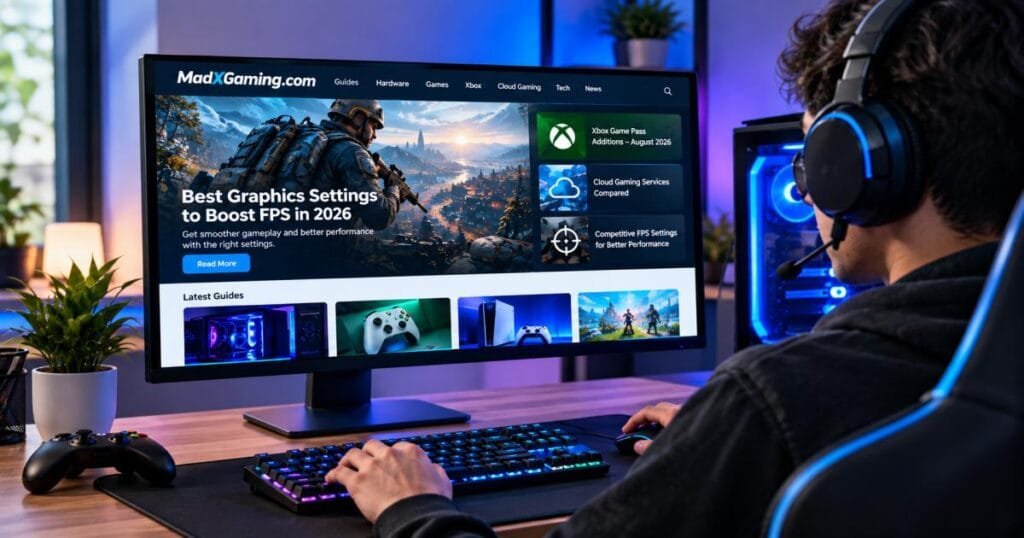
The homepage describes the site as a place for gaming news, reviews, walkthroughs, esports, PC and console updates, online gaming, and expert guides. So a visit gets you articles about competitive play, plus help with settings, hardware, and subscriptions. It does not get you a roster, a signup form, or a live bracket.
This guide covers what the site publishes, who gains the most from it, and where it falls short. It also shows how to turn its tips into better play, and how to check any gaming advice before you trust it.
What Is MadXGaming.com Esports?
MadXGaming.com esports is a content area. The site places its competitive gaming articles under an Esports tab, next to other sections like Guides. Readers go there for stories on pro play, coaching, viewership, and the tools that support high-level play.
Is it a team? No. A team signs players, enters events, and wins or loses. A content site writes about those things. Public listings show MadXGaming.com in the second group.
Names can confuse here. A search for “MADxGAMING” also returns social media accounts run by gaming video creators. Nothing found in research links those accounts to this website, so treat them as separate.
Facts at a glance
| Question | Answer |
| What is it? | A gaming news and guides website with an esports section |
| Is it an esports organization? | No, it is a content site |
| Main topics | Esports, PC performance, consoles, cloud gaming, hardware |
| Live scores and brackets? | Not its main offering |
| Best use | Improving your setup and learning how pros train |
What Can You Find on MadXGaming.com?
The site’s public pages point to five main groups of content:
- Esports articles. One listing names a 2026 guide on how AI analytics are changing professional esports coaching.
- Performance guides. A recent article covers graphics settings that raise FPS without gutting a game’s visuals.
- Hardware comparisons. A headline pits an NVIDIA card against an AMD card for 4K play.
- Console and subscription content. Titles include Xbox Game Pass additions and hidden PS5 features.
- Cloud gaming. The Guides page lists a piece saying cloud gaming has moved past its laggy early phase.
This range helps. A player who wants smoother frames today may want cloud gaming tips next week, and both sit on one site.
The cost is depth. A site that covers PCs, consoles, cloud, and esports typically goes less deep on each topic than a single-topic site.
MadXGaming.com Esports and Competitive Gaming
Competitive gaming rewards small edges. A higher frame rate, less delay, and a clear view of the screen can decide a fight. The madxgaming.com esports section leans into that side of the scene.
Take the coaching piece. Coaching once meant a person watching replays and giving notes. Data tools now add stats on aim, positioning, and timing. Reading about that shift shows a rising player how pros train.
The site also touches the viewer side. It lists a piece saying July 2026 esports viewership was led by major MOBA tournaments, with mobile titles taking most of the top spots. You can test that claim. Trackers like Esports Charts publish peak viewer counts for each event, so a quick cross-check takes a few minutes.
The pattern is clear. This content site ties the pro scene to things any gamer can act on at home.
Gaming Guides and Resources on MadXGaming.com
The Guides section is the most practical part. Each page aims to help you do something, like change a setting or choose a plan.
PC Gaming Performance Guides
PC guides help you get more speed from the hardware you own. The site’s FPS article says good tuning is about smart choices, because some settings eat huge amounts of power while adding almost no visible gain.
That advice holds up. Shadows, fog, and ray tracing typically cost the most performance. Texture quality usually costs less, as long as your graphics card has enough video memory. A good guide names the heavy hitters first.
Competitive FPS Settings
FPS has two meanings here: the shooter genre and the frame rate. They connect. In a shooter, a smooth frame rate helps you track a moving target.
The math shows why. At 60 frames per second, each frame lasts about 16.7 milliseconds. At 144, each lasts about 6.9 milliseconds. That gap is why many competitive players chase high frame rates.
Common moves in this area:
- Turn off motion blur and film grain.
- Lower shadow and effects quality.
- Keep textures as high as your video memory allows.
- Turn on upscaling (DLSS or FSR) if the game supports it.
- Cap your frame rate just below your monitor’s refresh rate, typically when using variable refresh rate.
Treat these as starting points. Each game and PC behaves a little differently.
Console and Xbox Gaming Content
Most consoles have no graphics sliders, so the value lies in features and deals. The homepage shows a comparison table of Game Pass releases with dates, genres, and platforms. Tables like that save time when you decide what to play.
Console options can matter for competitive play too. Performance modes, your TV’s game mode, and network settings can all cut delay.
Cloud Gaming Guides
Cloud gaming streams a game from a remote server to your screen. You skip the need for a strong local PC. For casual play, many people find it works well.
For ranked shooters, be careful. Streaming adds delay on top of your normal ping, and even a small extra delay hurts in fast fights. Test any service on your own network before you rely on it.
Gaming Technology and Trends
Tech pieces, like the hardware face-off and the AI coaching article, help you time an upgrade or a subscription. Treat early hardware claims with care. New or unreleased cards often have unconfirmed specs, and benchmarks change fast. Confirm numbers on the maker’s own page or in independent lab tests before you spend money.
Who Is MadXGaming.com Esports Content For?
The content suits these readers:
- Casual and ranked players who want smoother games without new gear.
- Beginners who feel lost in a settings menu.
- PC builders who compare cards before buying.
- Console fans who want subscription and feature tips.
- Esports followers who like coaching and trend stories.
It suits others less. Need live scores, brackets, or roster moves? Use a specialist source. Pros and coaches typically need deeper data than a general site offers.
How MadXGaming.com Covers Competitive Gaming
Does it follow one game closely? No. The coverage is broad and list-driven. Many pages use quick tables, short summaries, and plain headings, which suits busy readers.
The site ties esports to shared topics: frame rate, hardware, subscriptions, and training. That approach reaches more people but gives up some depth.
Timing matters too. Public listings from August 2026 show several posts within days of each other, which suggests frequent publishing. Frequent posting does not prove quality, so judge each article on its sources and clarity.
MadXGaming.com Esports vs. Dedicated Esports Websites
| Feature | MadXGaming.com | Dedicated esports sites |
| Main focus | Gaming news, guides, tech, plus an esports tab | Esports only |
| Results and brackets | Not the core offer | Core offer (Liquipedia, for example) |
| Team and player news | Occasional | Daily |
| Settings and performance help | Strong point | Rare |
| Hardware and console coverage | Yes | Rare |
| Best for | Improving your own setup and play | Following the pro scene |
The two types work well together. Follow events on a dedicated site. Use this content site to tune your setup and learn training ideas.
How to Use MadXGaming.com for Better Gaming Performance
Reading a guide is step one. Use this five-step process to turn it into real gains.
Start With Your Game and Hardware
Write down your game, graphics card, processor, memory, and monitor refresh rate. Then look for guides that match your game. A settings list built for a stronger PC may hurt a mid-range one.
Identify Performance Bottlenecks
A bottleneck is the part holding everything back. Open a monitoring tool while you play. If your graphics card sits near full use, it is the limit, and lower graphics settings will help. If the card sits well below full use while one processor core is maxed, the processor is the limit, and lowering graphics will do little.
Optimize Graphics Settings
Change the highest costs first: shadows, fog, and ray tracing. The site’s article calls ray tracing one of the most demanding features in modern graphics, and it typically cuts frame rates by a large margin. Turn it off for competitive play. Then try an upscaler. Change one setting at a time so you can see what each one does.
Monitor FPS and Frame Times
Average FPS can hide problems. Frame time is how long each frame takes to draw. Even times feel smooth, and uneven times feel choppy even when the average looks high. Watch your “1% lows,” which show your worst moments. Free tools like MSI Afterburner or your graphics card’s built-in overlay can show them.
Test Changes Before Competitive Play
Never try new settings for the first time in a ranked match. Test in a practice range, a custom game, or a bot match. Check aim feel, visibility, and stability. Note each change, and roll back anything that feels off.
Is MadXGaming.com Useful for Esports Beginners?
Yes, mostly. Beginners typically struggle with two things: technical menus and too much advice. Short guides with tables and plain steps cut through both.
Three habits help a new player most:
- Learn what FPS, ping, and input lag mean.
- Fix your setup before you chase new gear.
- Practice with a goal, not just for hours.
Still, no single site is the last word. Pair any guide with the game’s own settings notes and official patch pages.
What to Check Before Following Gaming Advice
Before you copy a setting or buy a part, ask five questions:
- Does it match your game version? Patches change performance.
- Does it match your hardware? A tip for a top-end card may slow a mid-range one.
- Does it explain the numbers? Look for how the writer measured results.
- Does it show a date? Old advice can be wrong.
- Does it name sources? Claims with no source deserve doubt.
Percentages need extra care. One passage on the site says a fog setting keeps about 80 to 90 percent of the atmosphere while adding a measurable FPS gain. That is a useful rule of thumb. Results still vary by game and machine, so test it yourself.
MadXGaming.com Esports: Strengths and Limitations
Potentially Useful Areas
- Scannable layout with tables and short summaries
- Many topics in one place
- Practical FPS and settings help
- Frequent posting, based on public listings
- Coverage that links esports to everyday play
Important Limitations to Consider
- Unclear ownership. Public listings reviewed for this guide do not name an owner or editorial team.
- General focus. As a content site, it is not a live results or roster source.
- Fast-moving claims. Hardware and viewership statements need a cross-check.
- Hidden methods. Readers cannot always see how the writer measured a number.
These points do not make the site bad. They tell you how much weight each article deserves.
How to Verify MadXGaming.com Esports Information
How do you know if a gaming tip is sound? Run this routine:
- Check the author and date. Look for a name and a clear publish date.
- Cross-check numbers. Use Esports Charts for viewership and Liquipedia or the event page for results.
- Confirm hardware specs. Use the maker’s product page or trusted lab reviews.
- Read patch notes. The game’s official site shows what changed.
- Test it yourself. Your own PC is the final judge.
- Download with care. Only install tools from their official sources.
If an article fails two or three checks, find a second opinion before you act.
Final Takeaway
madxgaming.com esports works best as a gaming magazine with a competitive-play section. It is a content site, not a team and not a live results hub. Its strength is practical help: settings, hardware, cloud play, and coaching ideas in an easy format.
Read it to learn, then test what you learn. Confirm big claims with official pages and trusted trackers. That way, you get the value of a broad gaming site without leaning too hard on any single source.
FAQs
What is madxgaming.com esports?
It is the esports section of MadXGaming.com, a gaming news and guides website. It publishes articles on competitive gaming, coaching, viewership, and related tech.
Is MadXGaming.com an esports organization?
No. Public listings show it as a content website. It does not appear to run a team, league, or tournament.
What type of gaming content does MadXGaming.com publish?
It publishes gaming news, reviews, walkthroughs, esports coverage, PC and console updates, and guides. Recent headlines also include hardware comparisons and cloud gaming.
Does MadXGaming.com cover competitive FPS games?
It covers FPS settings and performance, which helps competitive shooter players. It does not center on one shooter, so game-specific depth may be limited.
Can beginners use MadXGaming.com gaming guides?
Yes. The short, table-based style suits new players. Check that each tip matches your game version and hardware.
Does MadXGaming.com provide PC performance tips?
Yes. Its FPS article explains how to raise frame rates by lowering the most performance-intensive settings.
How reliable is gaming information on MadXGaming.com?
Reliability varies by article, as on any general gaming site. Public listings do not clearly name the owner or writers, so verify key claims with official or independent sources.
Where can I find the latest MadXGaming.com content?
Visit madxgaming.com directly. The Esports and Guides sections list recent posts.


[…] gaming blog explains how things work. A game platform hosts the matches, accounts, and servers. PlayBattleSquare belongs in the blog group based on its […]